
June 14, 2026
Obra Autodocs as a skill
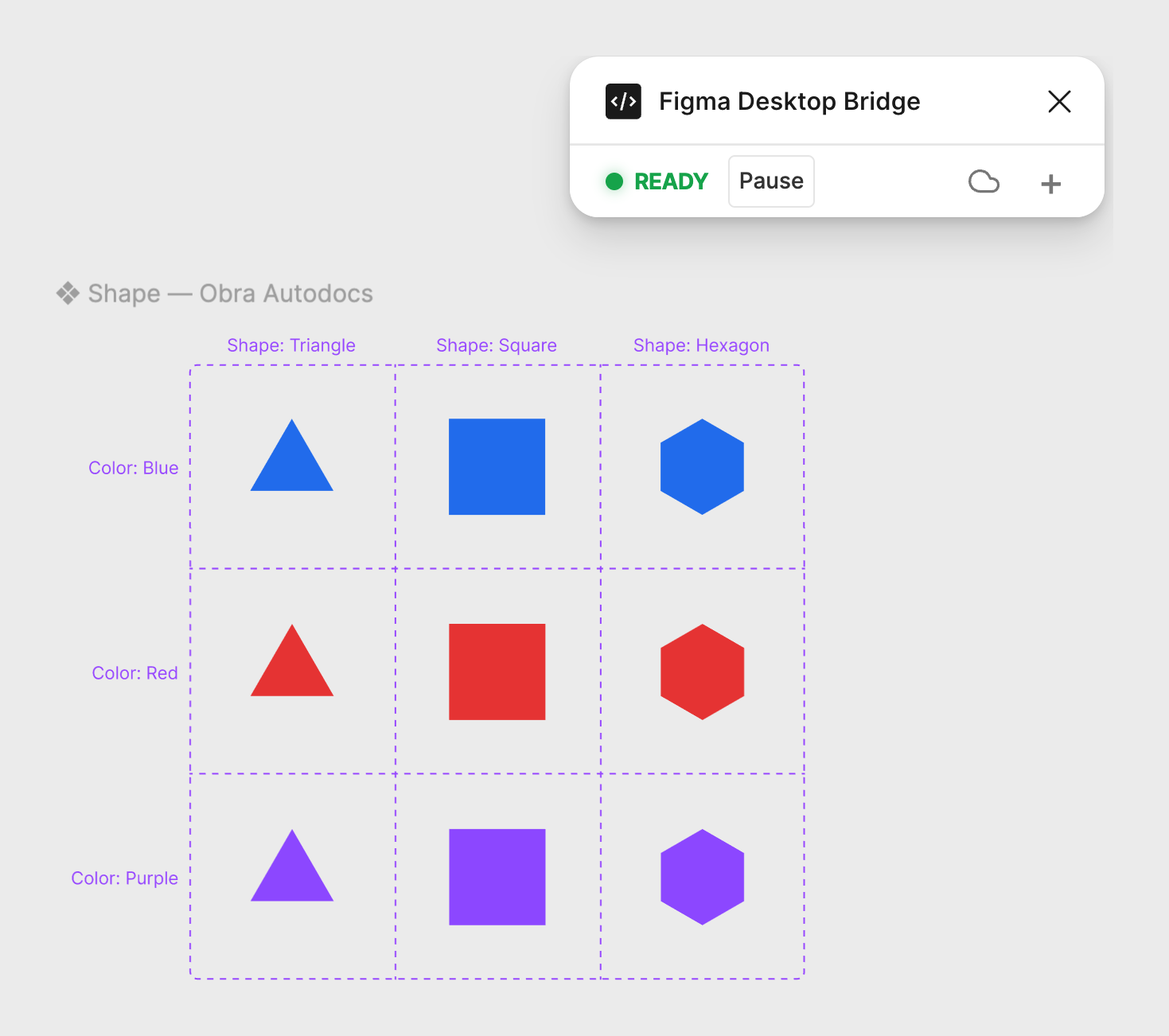
The prompt for the image above:
"Let's make a blue triangle, a red square and a purple hexagon on this page. Let's give them logical properties (Shape = / Color =). Let's then generate variants of each (e.g. purple square) using Obra Autodocs."
That whole thing — building the components, giving them properties, generating every variant, and documenting the set — happened in one flow, from a chat, without opening a plugin. Imagine how you can use this flow to document consistent properties for your own design system.
What we had
We had a plugin to generate Figma component property docs, which we MIT-licensed at the end of April. See autodocs.obra.studio.
If you've ever used the Propstar plugin, you know what we mean — Obra Autodocs is like Propstar, but faster and better, with more options.
What we did
We took @tpitre's figma-console-mcp and forked it to make the agent generate Autodocs-powered docs.
Because we made Autodocs into a skill, you can just keep the Desktop Bridge running the whole time you're working in Figma.
If you don't know what the Desktop Bridge is: it's the part that connects your Claude Code (or Codex) conversation to Figma. It's a small Figma plugin that holds a live link between your AI agent and the file you're working in, so the agent can read your design and make changes to it directly — that's how Figma Console MCP works.
The catch was that running Autodocs meant switching to the Autodocs plugin, and since Figma only runs one plugin at a time, that dropped the bridge connection. Now it doesn't: the docs are generated from inside the bridge the agent is already using, so you never have to leave it.
The power
Now you could technically document components across an entire Figma file with Autodocs without ever running the plugin.
Drop the different npm package into your existing Figma Console MCP setup (@obra-studio/figma-console-mcp@latest), open the Desktop Bridge, and let your agent do the rest — point it at a page, a section, or the whole file, and have it document every component set in one session.
-      "args": ["-y", "figma-console-mcp@latest"],
+      "args": ["-y", "@obra-studio/figma-console-mcp@latest"],
It's a drop-in superset: same tools, same Desktop Bridge plugin (no re-import), plus figma_generate_autodocs and figma_remove_autodocs. Restart your MCP client and ask it to document something.
Links
- Fork: Obra-Studio/figma-console-mcp-autodocs
- npm:
@obra-studio/figma-console-mcp - Upstream: @tpitre's figma-console-mcp
- The plugin: Obra Autodocs on Figma Community
It's all MIT — full credit to @tpitre for the original figma-console-mcp.